Thursday, May 27, 2010

Letter Form

The assignment was to convey tension, congestion, pattern, and negative and positive space while incorporating the actual word into the design. I used Illustrator for the whole design and i used the pencil tool, scale (resizing tool), and a tool to make spheres.


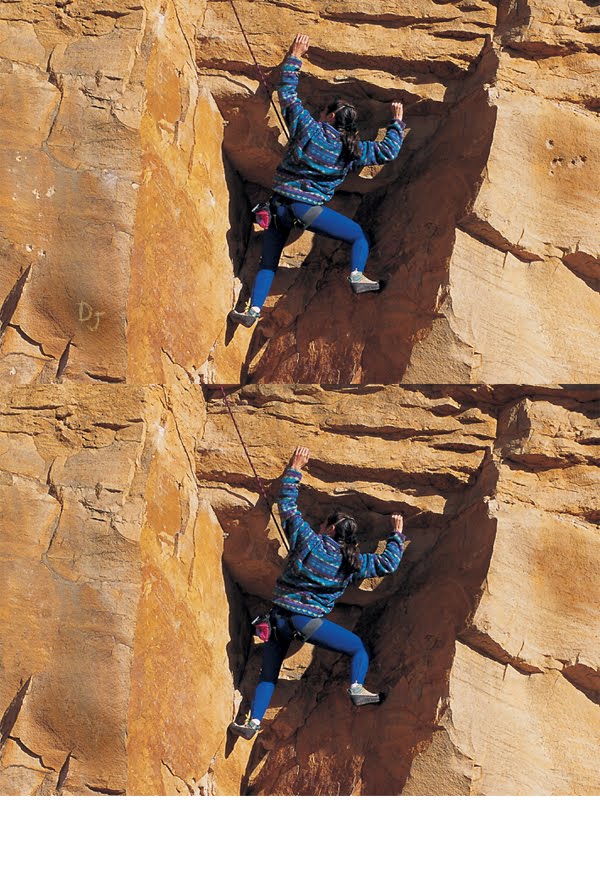
Repelling

The assignment was to erase all of the imperfections. I used photoshop to erase all of the holes and discolorations with the cloning tool.

Choosing Fonts

The assignment was to combine different types of fonts together to make them look presentable. The three shown below are a few example of one excellent one, a moderate one, and a horrible one. The program used for the project was Illustrator.

Buissness

The assignment was to crete a business card design for a restaurant (sushi restaurant) that is easily readable and pleasing to the eye. I used Illustrator for the whole project and used the pencil tool for the chop sticks and shape making tool for the california rolls.

Wednesday, May 26, 2010

Timmy and Sue

The goal of this assignment was to combine 2 different pictures to make a underwater scene. The giraffe was colorized (blue) and transferred to the background of the ocean picture. The giraffe is supposed to be a sea monster.

Zoo Postcard

This assignment was supposed to teach us how to make a postcard that was legible and pleasing to the client and consumer. Although the postcard below is very plain, it very well organized and easily read. This was created in Illustrator.

Family

The goal of this assignment was to enhance an old picture to todays standards. We needed to remove the tape and other imperfections to make it seem like it isn't as old and destroyed as it actually is. This project was done entirely in Photoshop and the most commonly used tools were cloning and dust and scratches.